Stay ahead with the latest from Old Well Labs
Get product updates and insights delivered straight to your inbox.


In May, we added manager disciplinary data, opened up portfolio sharing for teams, added the ability to connect with multiple managers at once, and made it easier to add managers to a watchlist.
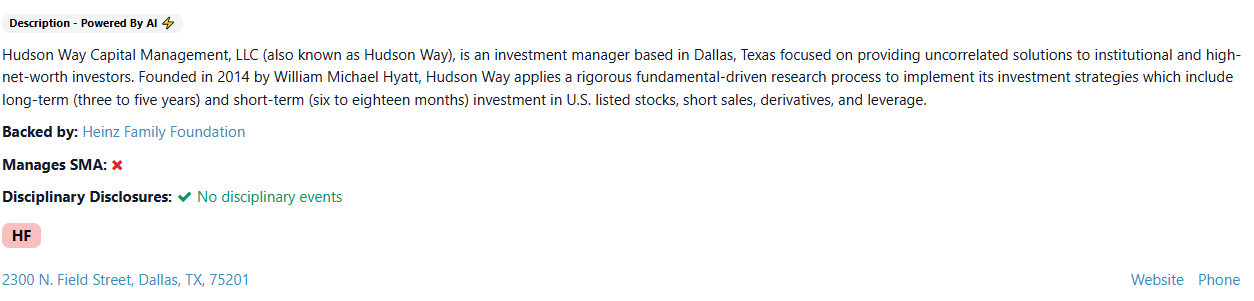
We launched a new feature highlighting disciplinary disclosures filed by managers with the SEC. On each manager’s profile page in OWL, you can now see whether the firm has disclosed any lawsuits, regulatory fines, criminal charges, or other disciplinary events. For example, you can see below that Hudson Way has not disclosed any disciplinary events.
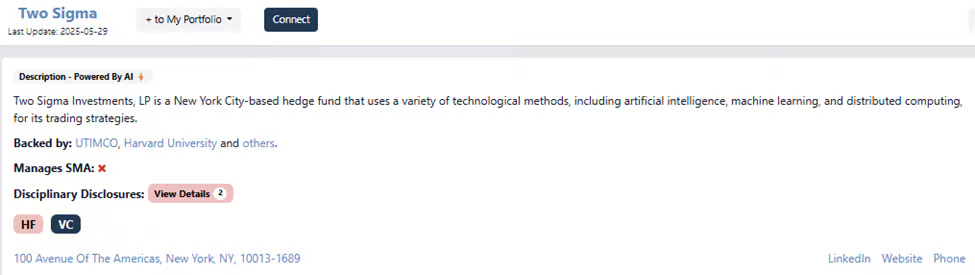
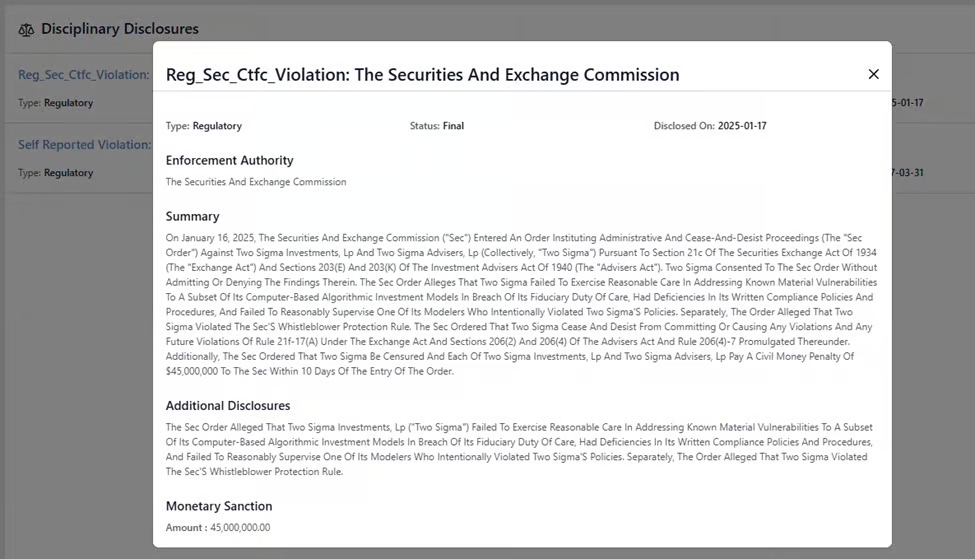
If there is a disciplinary disclosure, which 1,389 managers in OWL have, users can click on the red “View Details” button and get a list of the disclosures with full details of each. In the example below, OWL users can see that Two Sigma has two disclosures, including a $45 million fine from the SEC earlier this year.
This data is also available as a filter in our manager search table, and soon updates will be included in our customized email alerts, so users can find out immediately if the managers they follow have a new disciplinary disclosure.
We are also excited to announce the ability to share portfolios across an organization. Within the “Manage Portfolios” function, users can toggle the “Share” column from “Individual” to “Team,” enabling read-only access to your portfolios across your organization. As portfolios are shared with you by other team members, you can easily view the managers in the groups using the “+” button or click “Clone” to use the shared portfolio as a starting point for your own, customizable group. This new functionality was a result of direct feedback from our users – keep the ideas coming!
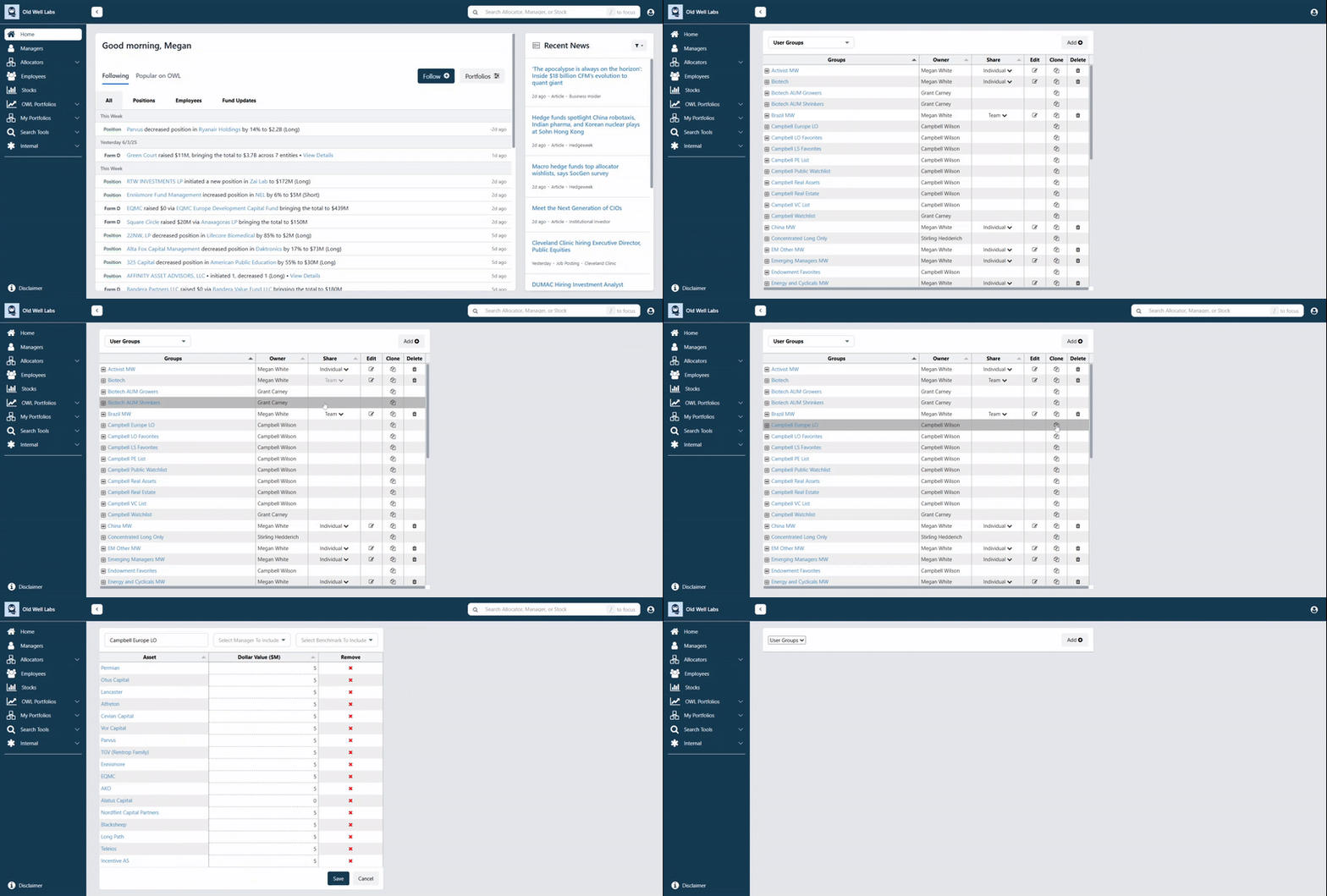
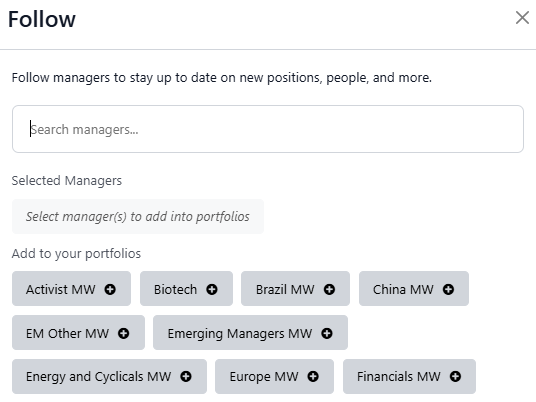
A user’s “My Portfolios” are a central part of the OWL experience. They allow users to monitor different groups of managers, and drive the content that users see on their newsfeed and in their email alerts. To help users build portfolios more quickly, we improved our landing page to make it easier to add managers to your portfolios. While scrolling recent OWL Manager events, you can click “Follow” at the top of the page to quickly add a manager to one of your portfolios or create a new one.
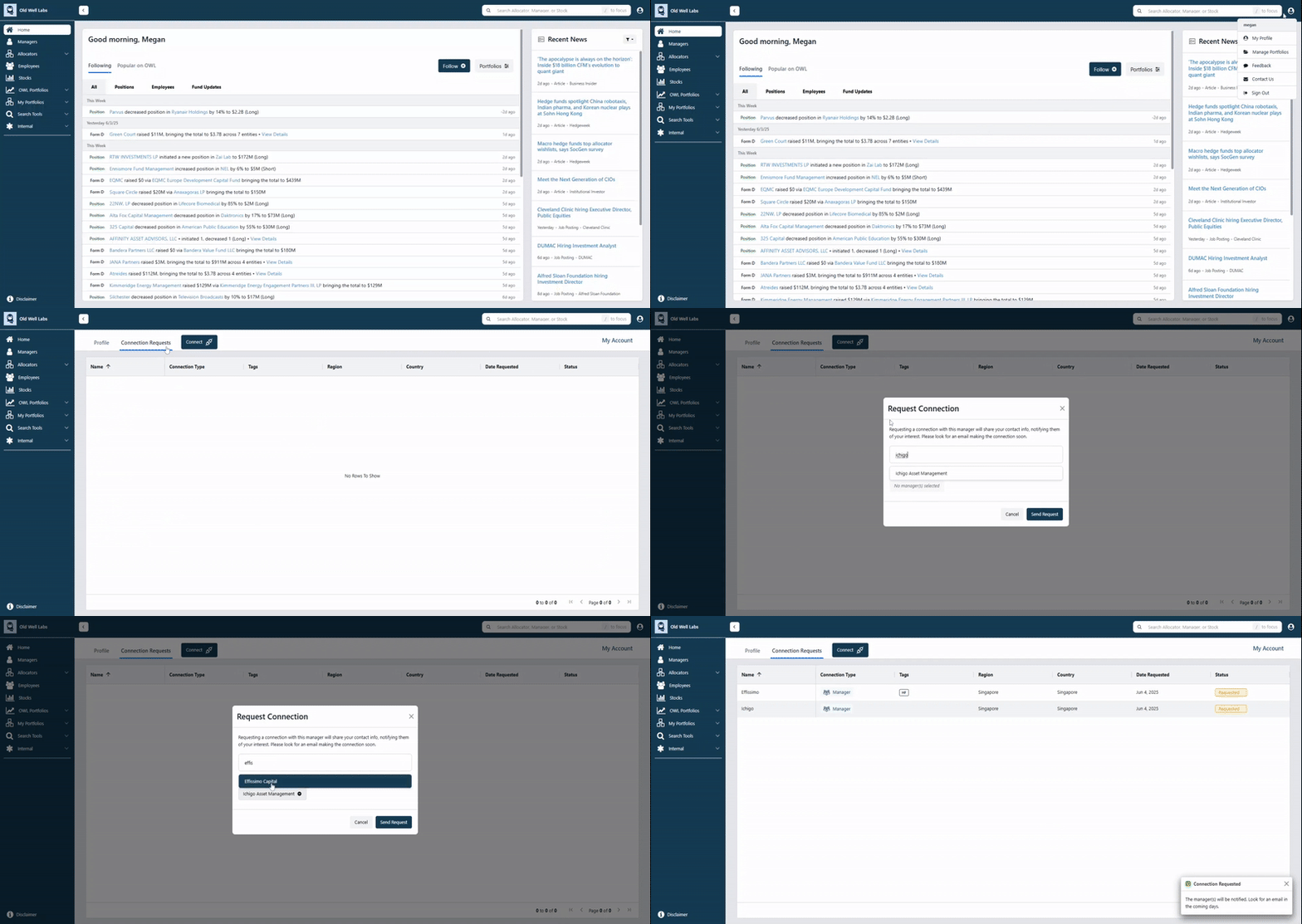
We want OWL to be the easiest place for allocators and managers to connect. This past February, we rolled out the ability for allocators to request connections with managers directly on the platform. In May, we gave users the ability to connect with multiple managers at once. In the “Manage Connections” section of “My Profile,” simply click “Connect” and you can request multiple connections:
Please continue to send us your ideas and feature requests! User feedback is the primary driver of our product roadmap, and we truly value our customers’ opinions.
.jpeg)