

Bring OWL’s Market Intelligence to your AI
Connect OWL using our MCP connector and sign in with your OWL account to get started. Once connected, search thousands of fund managers, research allocators, explore portfolios and key people, and organize your research using natural language, all without leaving your AI workflow.
Now available in Claude and ChatGPT.
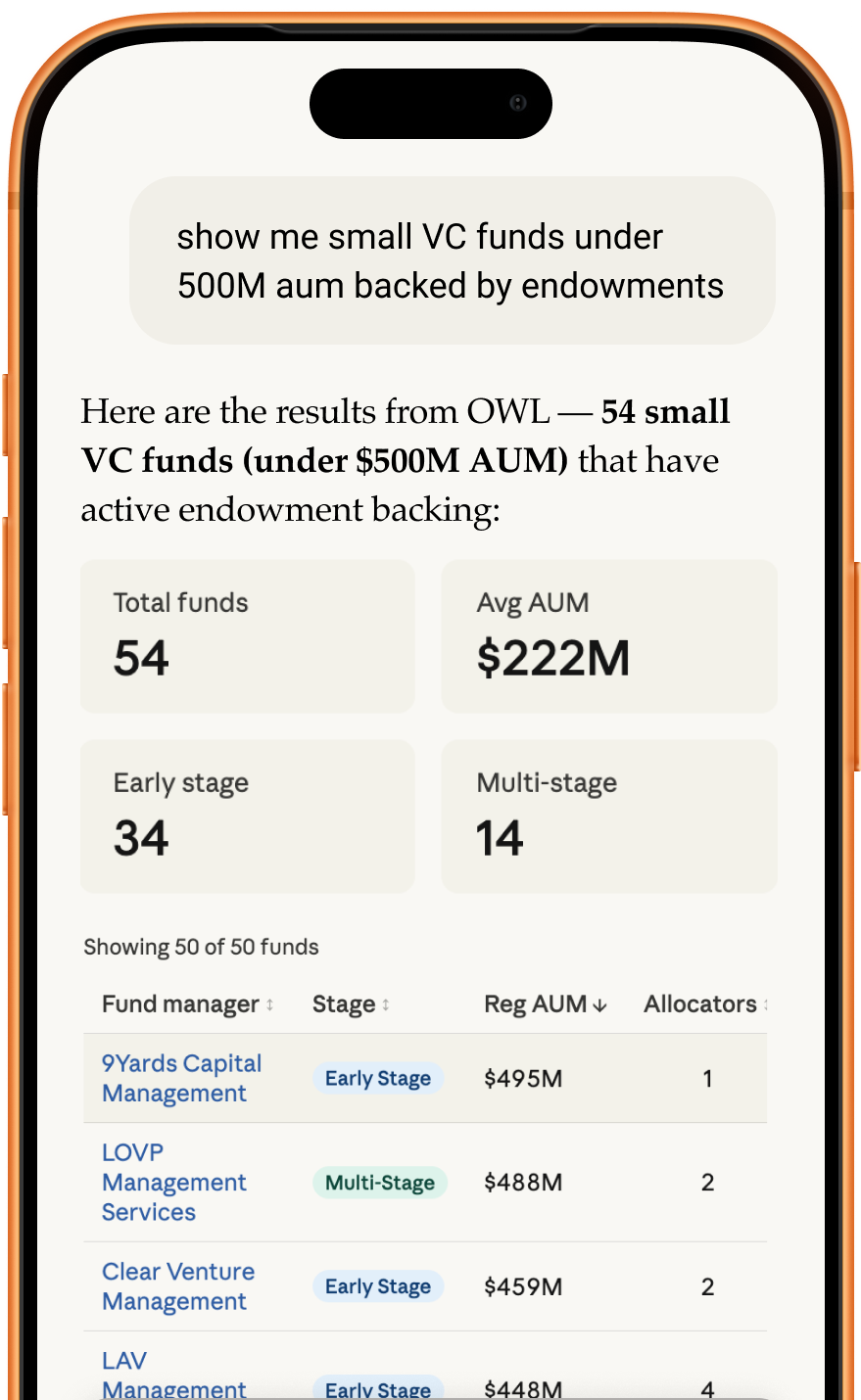
How it helps fund managers
Fund managers use it to find and qualify allocators: filter 13,000+ LPs — endowments, pensions, foundations, family offices — by assets, location, institution type, and the managers they back.
How it helps allocators
Allocators use it to source and screen managers across 23,000+ firms by AUM, strategy, asset class, location, and team size.
What you can ask for
- Managers and allocators matching detailed criteria, sorted however you need
- LP–GP relationships: which LPs have disclosed backing which managers, and which LPs back the same managers
- News about the managers you follow or any group you keep, one entry per article with every manager it mentions
- People and career moves: hires, departures, spinouts and title changes
- Private fund returns as LPs disclose them: vintage, net IRR, TVPI and DPI
- SEC Form D offerings: who is raising, how much, and when
- Private companies and their funding rounds, including the investors on each round
- Allocator compensation from Form 990s, and the auditors, administrators and custodians managers use
Use cases
Fund managers find and qualify allocators; allocators source and screen managers; both track news and people moves on the firms they follow, and save searches and groups back to OWL.
Verified Prompts
What's the latest news on the managers I follow?
Find fund managers headquartered in Charlotte, sorted by AUM.
Which 2018-vintage funds have the highest net IRR?
Show me everyone who left Viking Global in the last six months.
Setup instructions
Server URL: https://mcp.oldwell-labs.com/mcp
Claude (claude.ai and Claude Desktop), Free, Pro or Max
1. Go to Customize → Connectors and choose Add custom connector.
2. Enter https://mcp.oldwell-labs.com/mcp and choose Add.
3. Choose Connect, sign in with your OWL account, and approve access.
If you're asked which OAuth client to use, choose "Use Claude's published identity".
Claude Team or Enterprise
An Owner adds OWL once for the organization:
Organization settings → Connectors → Add → Custom, enter the URL, then Add.
Each member then goes to Customize → Connectors, finds OWL (labeled Custom), and chooses Connect.
Claude Code
Run:
claude mcp add --transport http owl https://mcp.oldwell-labs.com/mcp.
Then run /mcp in Claude Code and sign in through your browser.
If you signed in to Claude Code with your claude.ai account and already added OWL there, it's available automatically.
ChatGPT
1. Go to chatgpt.com/plugins, choose +, then Add custom MCP server.
2. Name it OWL, add a short description, and under Connection enter https://mcp.oldwell-labs.com/mcp.
3. Set up authentication, confirm the warning, and choose Create as a plugin.
4. Sign in with your OWL account and approve access.
Your workspace's policies decide whether you can add custom servers. If you can't, ask your ChatGPT admin.
Other MCP clients
Add https://mcp.oldwell-labs.com/mcp as a remote (Streamable HTTP) server with OAuth sign-in.
Prerequisites
- An OWL account with an active subscription
- Depending on your workspace settings, an admin may need to enable the connector before you can add it. If you don’t see a Connect button, ask your Claude or ChatGPT workspace admin.
Your existing OWL permissions carry over. If you can’t see something in OWL today, you won’t see it here either.
Tools
Search
- search: Searches OWL's data. Choose a dataset: managers, allocators, people, people moves (hires, promotions and departures), SEC Form D offerings, private companies, funding rounds, allocator compensation, private fund returns, or service providers.
- get_column_registry: lists the fields you can filter, sort and display for a dataset.
- get_distinct_values: shows how a field's values are stored, so a filter matches (for example "NY" rather than "New York").
News
- get_news: recent news about fund managers, one entry per article with every manager it mentions. Narrow it to the managers in your groups, a specific group, specific managers, a topic, or a date.
Saved Searches
- save_search: saves a search to your OWL account so you can reopen it in the web app.
Groups
- list_groups, get_group, list_group_members: read your groups and their members.
- create_group, update_group, delete_group: create, rename or delete your groups.
- add_group_members, remove_group_members: change who is in a group.
Reads use your OWL permissions. Only saved searches and groups can be changed through the connector.
Troubleshooting
I can’t find OWL in the directory
Check you’re searching under Connectors rather than in the main search. If it’s still not there, your workspace may restrict which connectors can be added — ask your workspace admin.
There’s no Connect button
Some workspaces require an admin to approve a connector before anyone can add it. Your admin can enable OWL in workspace settings.
Sign-in fails or keeps asking
The connector signs you in with your OWL account, not your Claude or ChatGPT account. Make sure you’re signed in to OWL in the same browser, then try again.
I connected, but Claude doesn’t use the OWL tools
Try naming it — “search OWL for…” — so the model reaches for the connector. In Claude Code, run /mcp to confirm OWL is connected.
Searches come back empty
Two usual causes. Your OWL permissions apply here, so if you can’t see something in OWL you won’t see it here. Or the filter doesn’t match the data — ask for get_distinct_values on that column to see the real values.
A tool I expected isn’t listed
We add tools over time. The live list is always in OWL under Integrations → MCP.
I made changes and they aren’t in OWL
Only saved searches and groups can be written. Everything else is read-only, so manager, allocator, people and fund data can’t be changed from a conversation.
Still stuck? Email us
To ask questions or for support, you may e-mail us CustomerSuccess@oldwell-labs.com.