Stay ahead with the latest from Old Well Labs
Get product updates and insights delivered straight to your inbox.


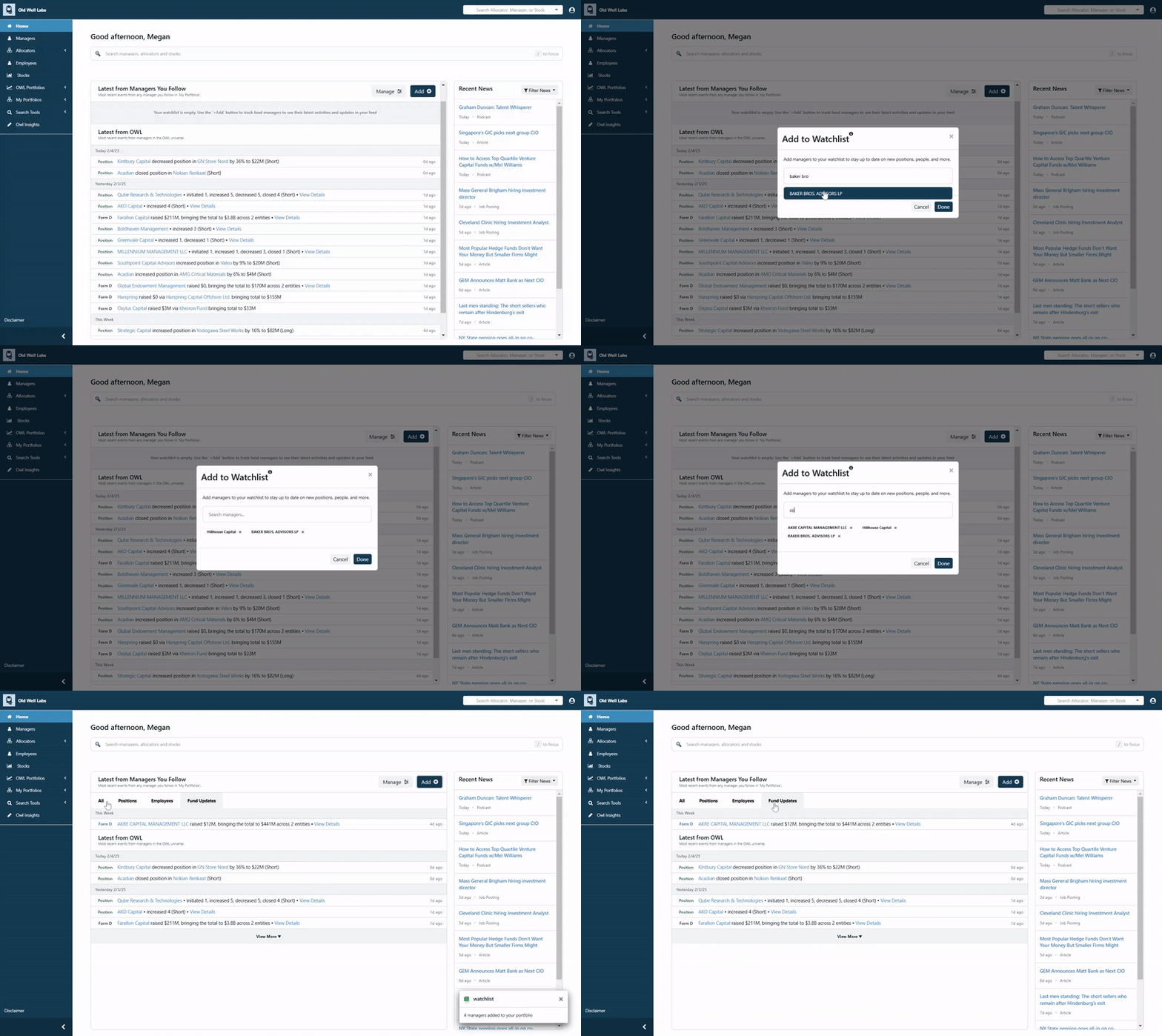
When users login, they will now see a new personalized feed designed to surface key updates for the managers they follow. This includes:
In the coming months, we’ll be adding even more data and functionality to this feed, including the ability to follow allocators and track their investments and team changes.
The best way for users to maximize this feature is to add managers to their “Watchlist,” which can be done by clicking the “Add” button on the homepage. Once a manager is added to the Watchlist, users will receive updates on them via their dashboard and weekly email alerts.
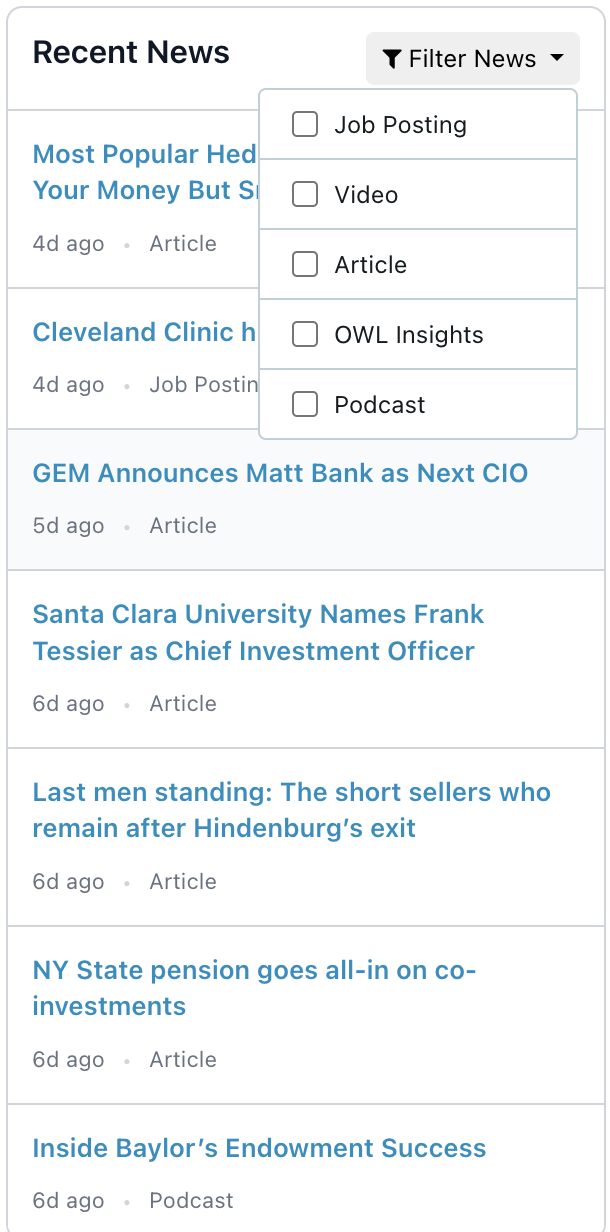
The right side of the landing page now features an integrated news feed with category filters for Job Postings, Articles, Podcasts, OWL Insights, and more.
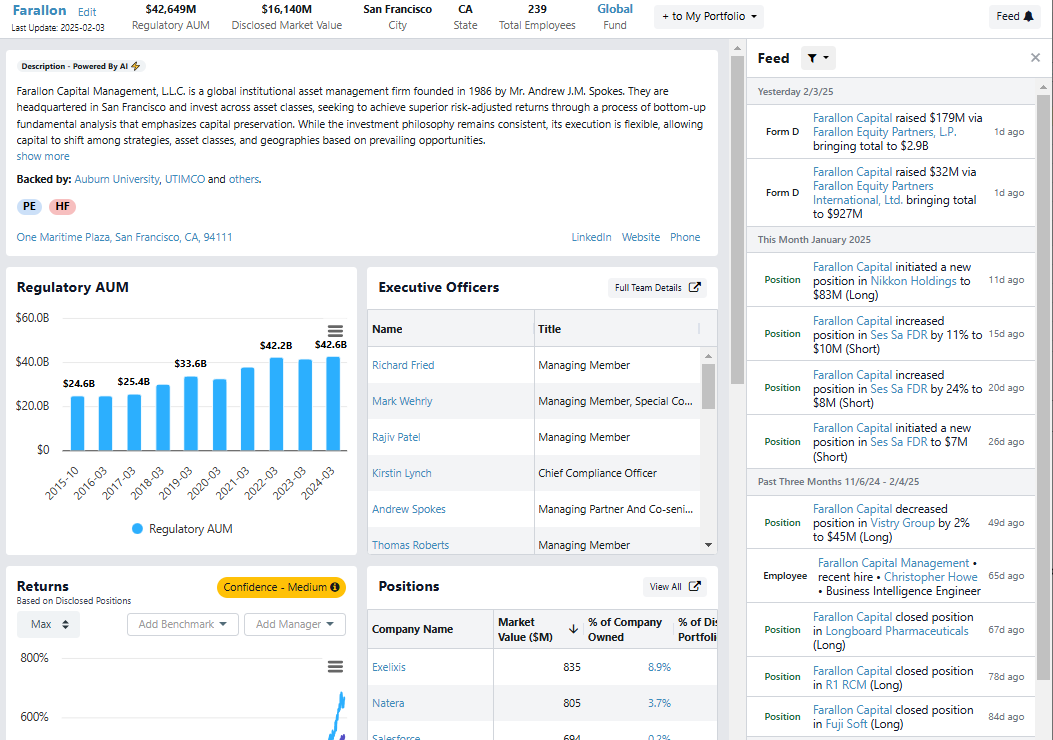
In addition to the main dashboard, we’ve added activity feeds across OWL for both manager profiles and user portfolios.
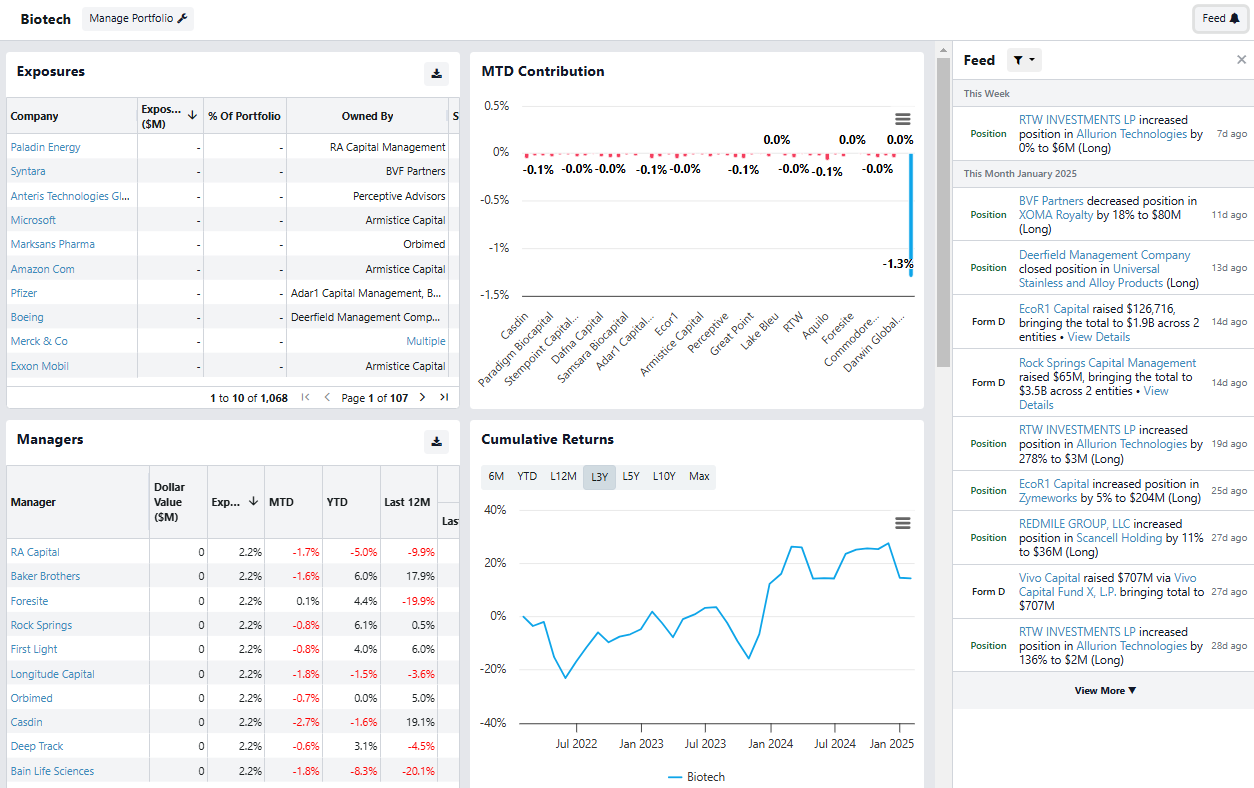
Users can also see an activity feed at the portfolio level, both for the standard OWL Portfolios and any portfolios that they have created.
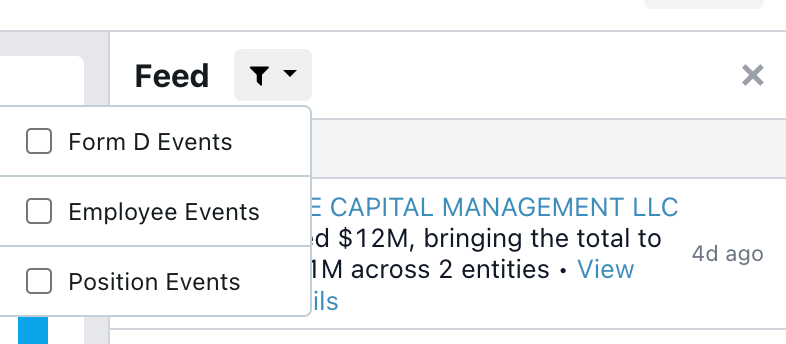
Each activity feed also allows you to filter for specific types of events:
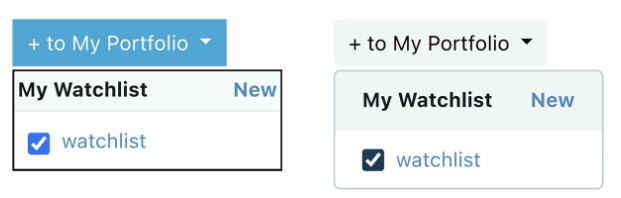
While the revamped dashboard and news feeds were the primary focus for January, we also made some subtle but impactful UI/UX improvements to simplify and modernize the platform:
Before and after:
January’s updates were a big step forward in creating a more customized experience for our users, which we will continue to build on in the coming months. Please continue to give us your feedback and ideas!
.jpeg)