Stay ahead with the latest from Old Well Labs
Get product updates and insights delivered straight to your inbox.


In July, we expanded the functionality of our Claude connector and launched OWL Profiles (our new series highlighting fund managers).
Our Claude connector continues to expand how you can integrate OWL into your AI workflow. Using the connector, users can access OWL data and visualize it in ways that are not yet possible on the platform itself. The connector allows you to execute complex searches using multiple filters across different datasets automatically, rather than manually filtering the data yourself. The output can be exported in one clean spreadsheet or can live directly on Claude. Below we share a few popular use cases for our Claude connector.
A couple of sample artifacts are here and here, with full details below.
Use Case #1: Creating Groups and Dashboards
You can now create and manage your OWL Groups directly through the Claude MCP, which makes it easy to turn a saved search or a working list of names into a shareable group without leaving your workflow.
For example, you can upload a list of managers and ask Claude to create an OWL Group. Claude will run the process and quickly create the group on your OWL account.
You can either click the link provided in the Claude chat, or reload the OWL app on your browser, and navigate to the new group by hovering over the “Groups” tab on the left-hand sidebar and clicking the name Claude assigned to the new group.
You can also ask Claude to create a dashboard for the group, and it will output a locally-hosted dashboard with customized comparisons of the managers in your new OWL Group. A sample Claude artifact is here, with an example of the dashboard below.
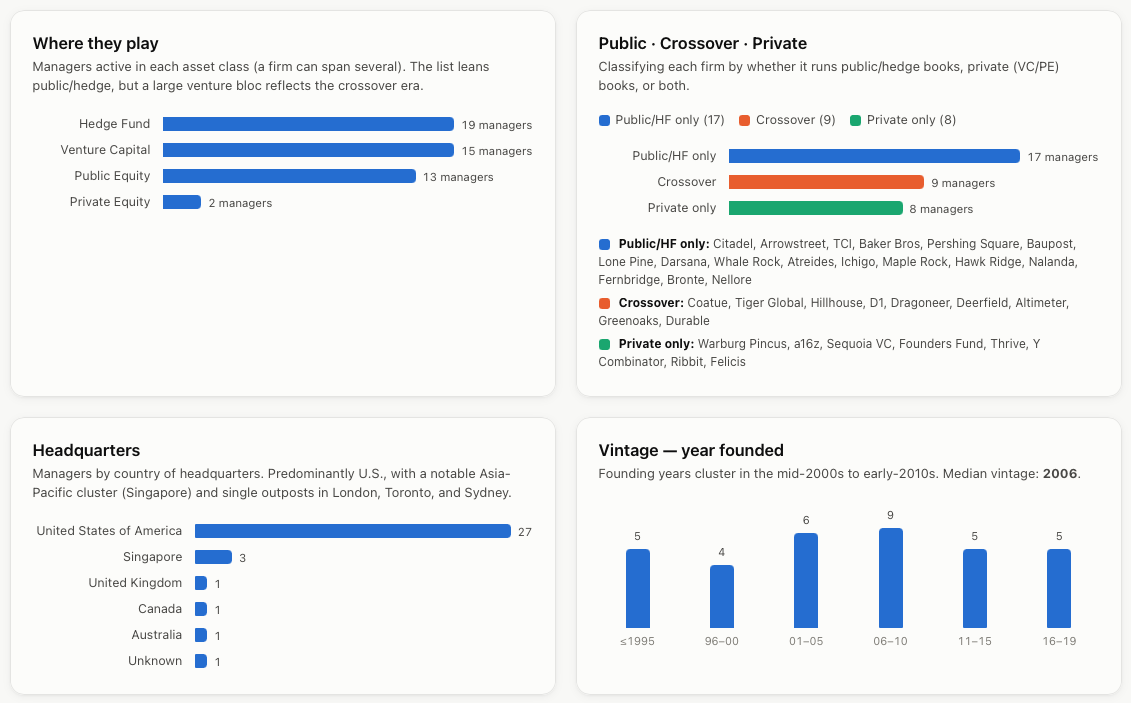
Use Case #2: Searching for Managers and Contacts
For allocator users, you can also tell Claude to search OWL for a group of managers that fit any definition you’d like, and give you contact information for key people at those firms. Claude will use OWL’s connector to search our data and output aspreadsheet with manager information, as well as the names, titles, and contact information for key people associated with those managers. The example below shows sample output for a search of recently launched hedge fund and public equity managers:

Use Case #3: Creating a List of Target Allocators
Managers can tell Claude to build a list of allocators that fit any parameters and list some of the managers they’re already invested with. Claude will use the OWL connector to find that information and output it either directly in the chat, or you can ask it to give it to you as a spreadsheet or shareable artifact to distribute to your team.
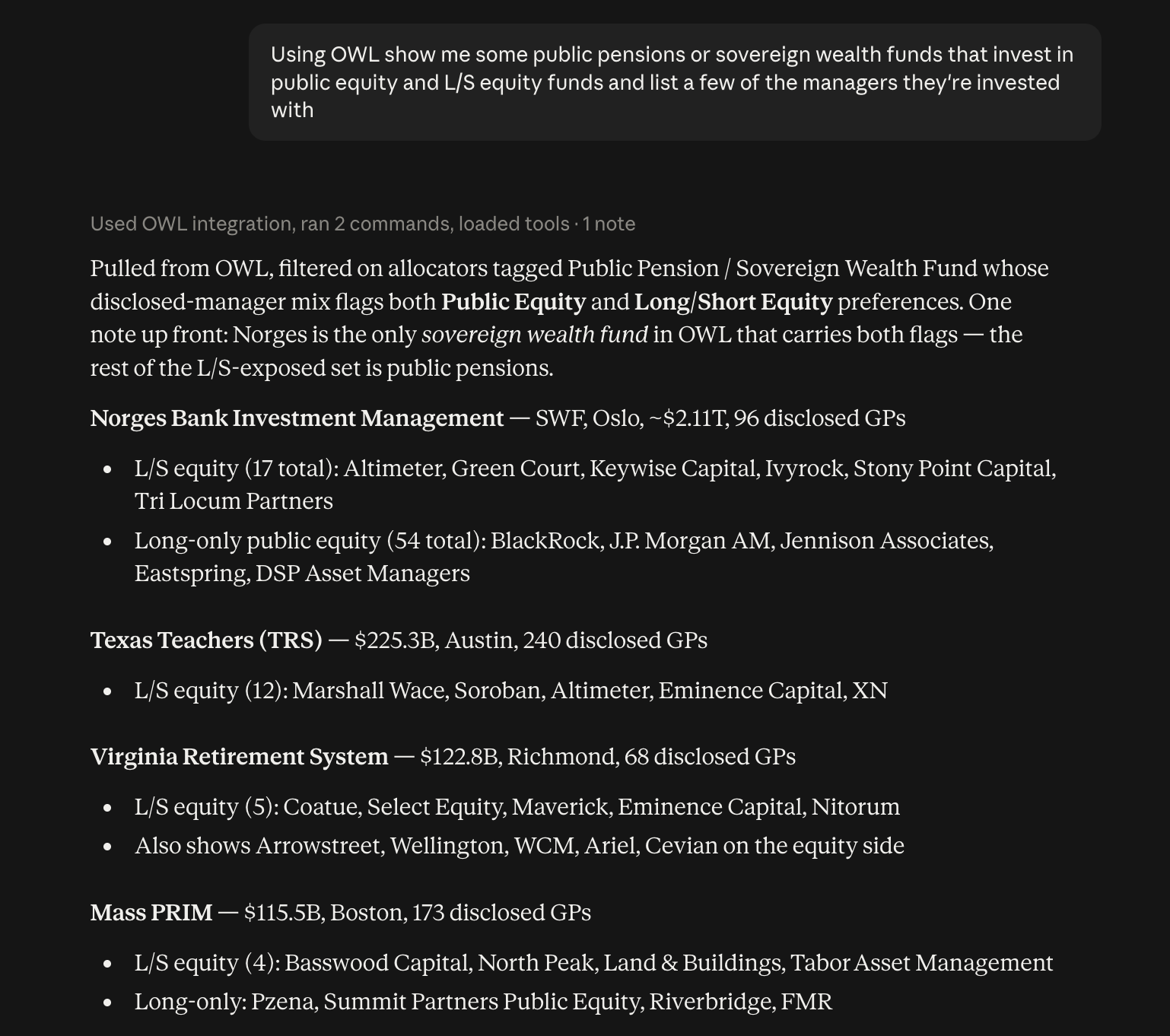
Use Case #4: Trip Planning
Claude can also help you plan your business trips. Simply tell Claude where you’ll be traveling and it will use OWL’s connector to pull managers or allocators in that city (or cities), help you narrow down the list to the most relevant organizations to your portfolio needs, and provide you with contact information for the organizations you’re interested in. It can even provide a suggested itinerary and ideas for meals in between. A sample trip to visit managers in Atlanta and Charlotte is here.
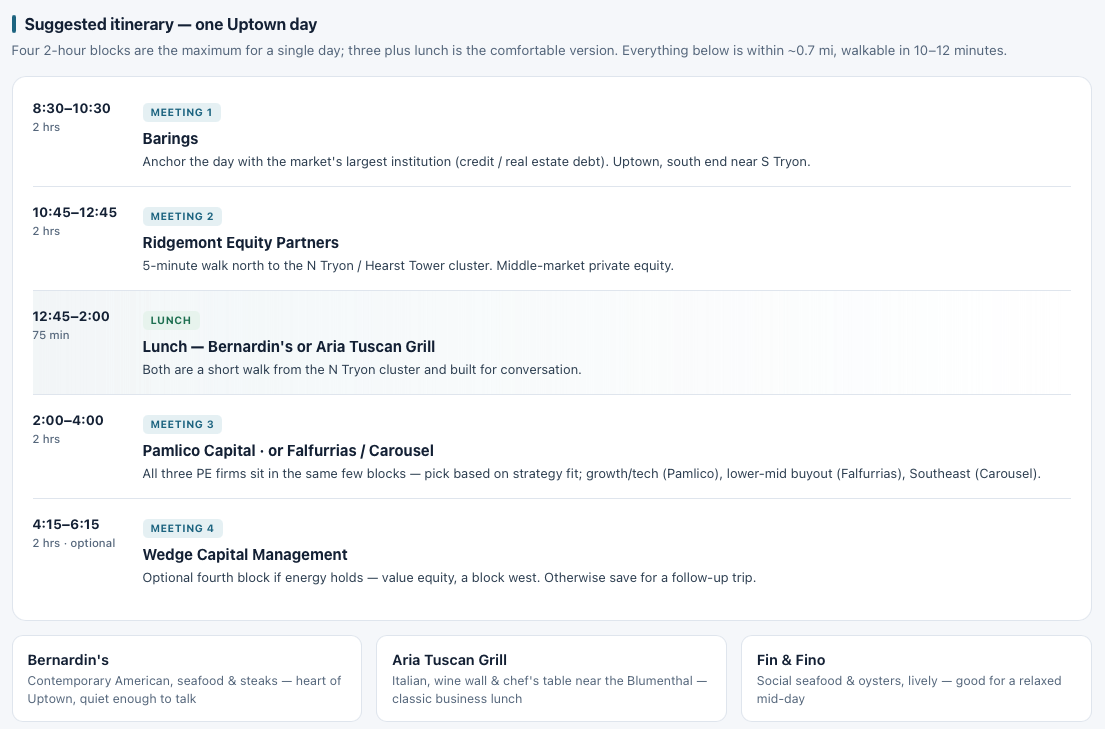
These are just a few examples of what OWL’s Claude connector can do. General use cases include:
Our users are also coming up with their own use cases. One example is a reference search – an LP user was analyzing two quant funds and wanted to find a quant researcher who had worked at each fund, but no longer worked at either, so they could get an independent opinion on the models from someone who knew them well – unfortunately neither LinkedIn nor OWL’s existing people search tools allowed for this. Using OWL’s Claude connector, however, the user was able to find the one person who fit that profile exactly, including their contact information at their current job.
To make the Claude connector setup straightforward, we also launched a new Integrations page with step-by-step instructions for connecting OWL to Claude via MCP. If you have connected before, refresh your tool list to pick up the latest capabilities.
OWL Profiles
This month we introduced OWL Profiles, a longer-form series highlighting interesting fund managers. On the platform, this sits right next to our OWL Insights content, which is a dedicated home for research and analysis from Old Well Labs.
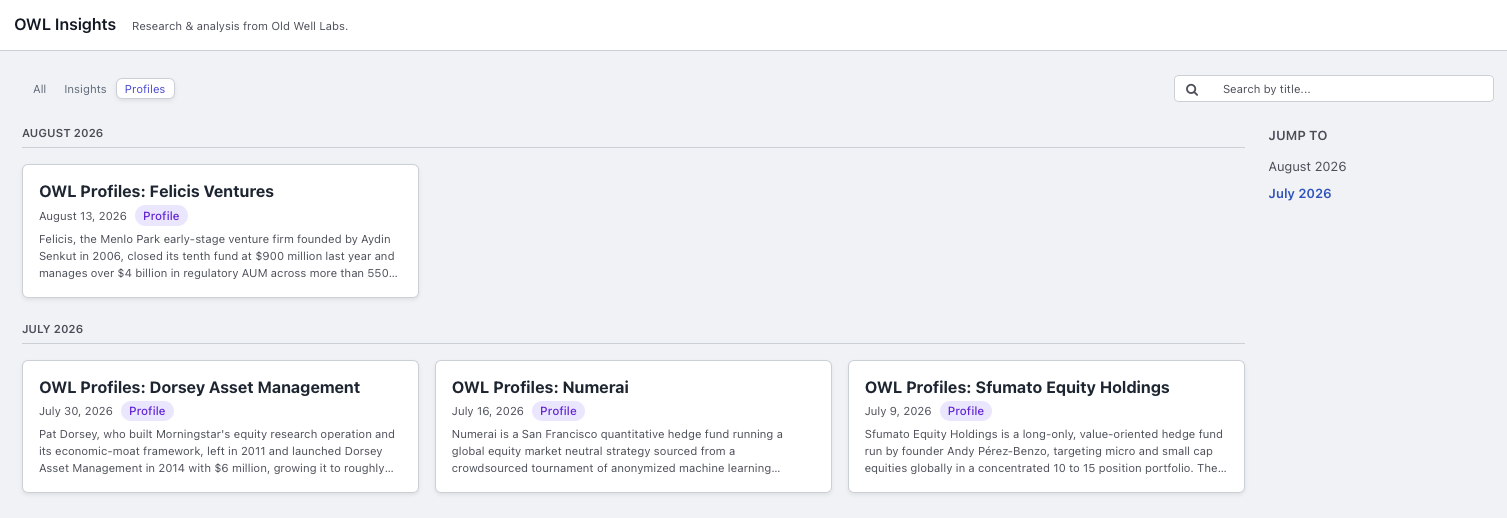
.jpeg)