Stay ahead with the latest from Old Well Labs
Get product updates and insights delivered straight to your inbox.


OWL users can now use additional filters to search for managers on the platform. In addition to other features such as name-based and map-based search, the “Managers” view on the left navigation of OWL now includes two ways to search and filter:
Summary View
This new view includes all manager types in OWL including public equity, hedge fund, PE, VC, and real assets. Any of the 12,000+ managers in OWL that we have these data points for will be included in the results. Users can filter by:
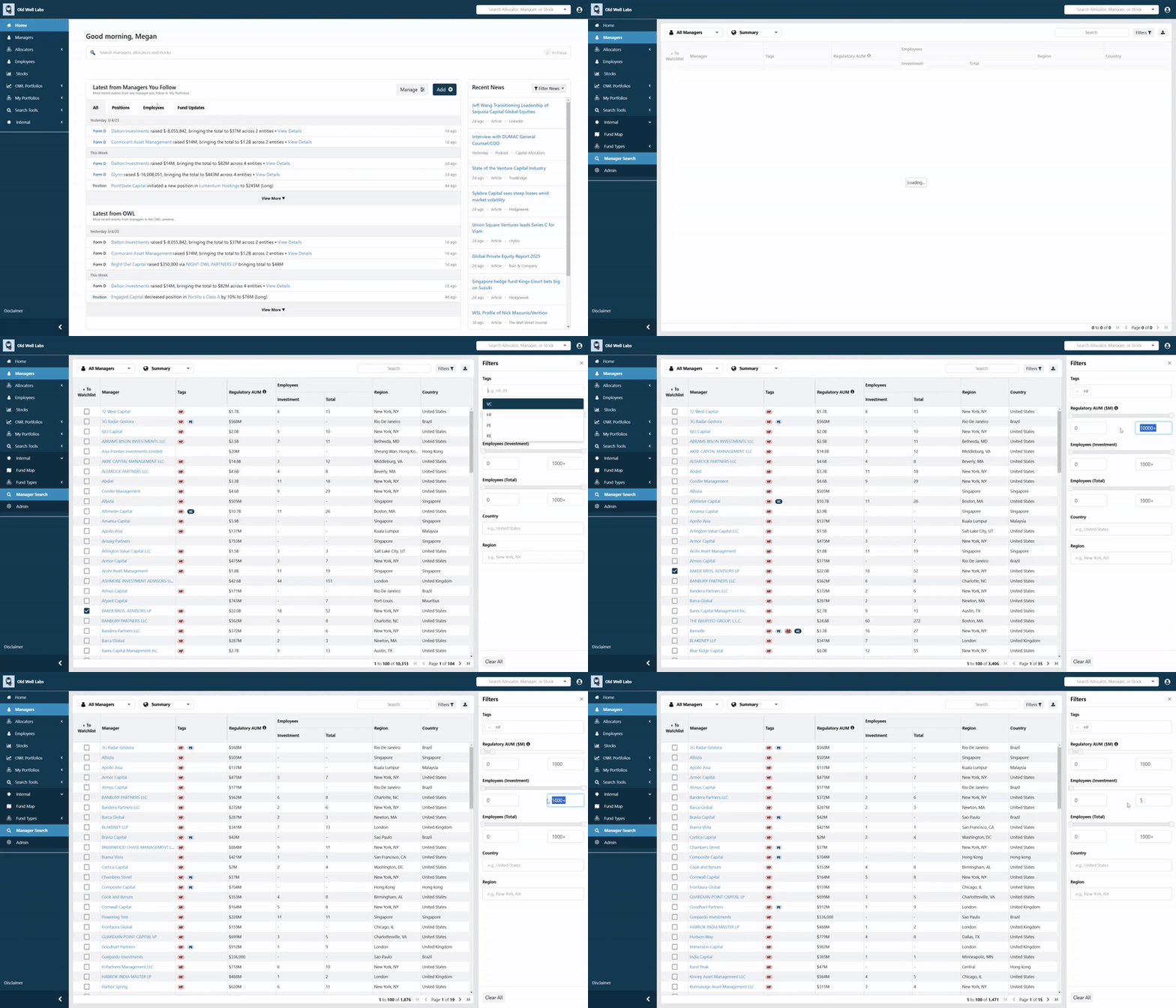
Returns View
This view maintains our public equity-focused scorecard functionality, with the ability to filter the managers by:
We’ve also added a checkbox to add or remove managers from your watchlist, directly from these lists. When managers are added to your watchlist, you’ll see real-time updates for them on your dashboard and their key events (team changes, position changes, etc.) will be included in your email alerts.
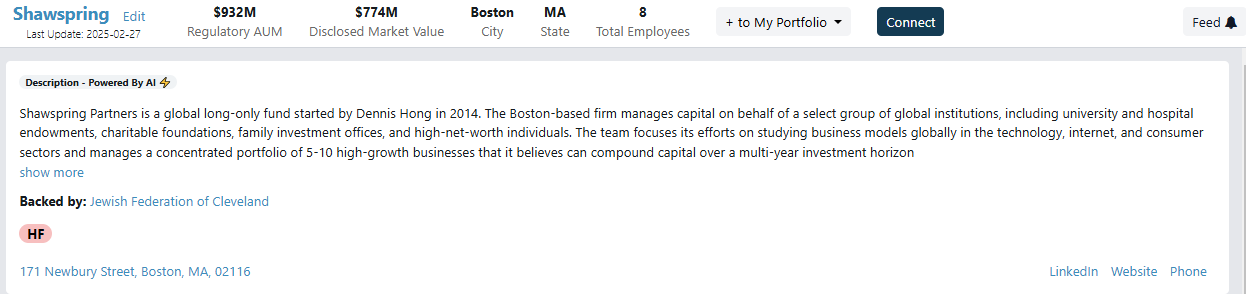
A ‘Connect’ button now appears on every manager’s page, allowing allocators to request connections with those managers directly within the OWL platform. Our users frequently tell us they discover managers on OWL with whom they want to connect to learn more, and we love facilitating those warm introductions. This button is a small but important first step in bringing that activity inside the platform. We launched it last week, and even before announcing it (until now), it has already been used to facilitate several introductions between allocators and managers.
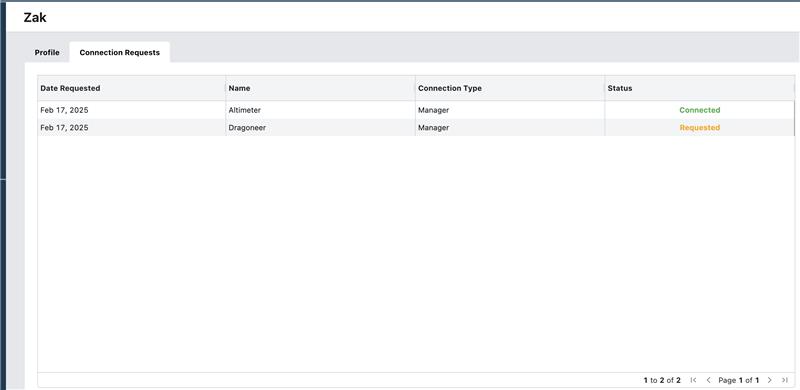
Users’ My Profile section (accessible on the top right menu) now features a dedicated tab that lists all connection requests with details including request date, manager name, and current status.
We've significantly improved how we track team changes, enabling us to capture these changes more accurately and promptly. Thanks to recent process improvements, we've achieved two major quality advances.
For users that have set up portfolios of managers to follow, these changes will show up on your dashboard as soon as they’re in our system and will be included in your email alerts.
Our improved data operations process also allows us to fix incorrect mappings more quickly and consistently. People data is inherently messy, but in the coming months, users should notice better quality people data for smaller managers, providing more comprehensive coverage.
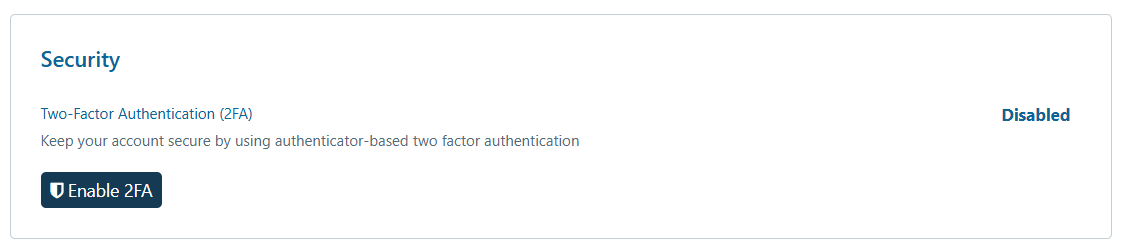
We’ve enhanced the security of our login for those users who would like to use Multi-Factor Authentication. Simply head over to My Profile section and enable 2FA.
Consistent Sidebar State: The sidebar now retains users’ preferred open or closed state as you navigate between pages. If you close the sidebar, it stays closed until you choose to reopen it. This also applies to the news section on the landing page – users can choose to keep it open or closed by default.
Menu Bar Icons: We’ve replaced the old icons with a sleeker, more intuitive version that better aligns with our design. The toggle in the bottom-left corner has been removed.
We're excited to get our users’ thoughts on these new features and welcome your feedback as we continue to evolve the platform. Keep the ideas coming!
.jpeg)